


Every seasonal campaign starts with the same goal: make customers feel something and give them a reason to buy.
For fashion and eCommerce brands, that often means changing how products are presented during key shopping periods.
A summer collection might use bright, lightweight visuals. A holiday campaign may introduce warmer colors, festive environments, and seasonal props. Valentine’s Day may use romantic styling, while Black Friday campaigns may focus on urgency and promotional messaging.
But there is an important question:
What actually makes these images more effective—seasonal styling or seasonal retouching?
The answer isn’t as simple as choosing one.
Styling creates the seasonal story. Retouching makes sure the final image delivers that story without compromising product accuracy, quality, or brand consistency.
Understanding the difference can help brands spend their creative budget more effectively and create seasonal visuals that do more than look good—they help customers connect with the product.
What Is Seasonal Styling?
Seasonal styling is about creating the visual environment and mood around a product.
It can involve:
- Models
- Locations
- Props
- Backgrounds
- Lighting
- Colors
- Wardrobe combinations
- Seasonal themes
- Creative direction
For example, a fashion brand preparing for Valentine’s Day might photograph clothing against a romantic setting with appropriate colors and styling.
A holiday campaign might use winter environments, festive decorations, or gift-focused compositions.
The purpose is simple:
Make the product feel relevant to the season.
The future of ecommerce photography is not just better images — it’s smarter workflows, faster production, and visuals built to scale.

What Is Seasonal Retouching?
Seasonal retouching happens during post-production.
Instead of changing the entire creative concept, retouching improves or adapts the existing imagery to meet seasonal campaign requirements.
This may include:
- Background replacement
- Color correction
- Skin and fabric refinement
- Removing distractions
- Adding or adjusting shadows
- Improving lighting
- Creating seasonal backgrounds
- Cleaning product details
- Maintaining consistent colors
- Creating different image variations
For example, a brand may have already photographed its products in a studio.
Instead of organizing another photoshoot, the brand can use professional retouching to create multiple seasonal variations from the existing assets.
Seasonal Styling vs. Seasonal Retouching
The easiest way to understand the difference is to look at what each one contributes.
| Seasonal Styling | Seasonal Retouching |
|---|---|
| Creates the concept | Refines the final image |
| Builds the mood | Improves visual quality |
| Uses props and environments | Adjusts backgrounds and details |
| Happens mainly during production | Happens during post-production |
| Can require a new photoshoot | Can extend existing assets |
| Creates seasonal context | Maintains product accuracy |
| Strong creative impact | Strong consistency and scalability |
Neither approach automatically drives sales.
The execution does.
What Actually Drives Sales?
A seasonal image can be visually impressive and still fail to sell.
Why?
Because customers don’t purchase a background, a prop, or a beautifully edited photograph.
They purchase the product.
That means successful seasonal imagery needs to balance three things:
1. Attention
The image needs to stand out.
2. Relevance
The image needs to feel appropriate for the season and campaign.
3. Confidence
The customer needs to clearly understand what they’re buying.
This is where styling and retouching work together.
AI may speed up production, but human creativity still gives ecommerce visuals their real impact.
When Seasonal Styling Has the Biggest Impact
Seasonal styling can be especially powerful when the environment is part of the campaign story.
For example:
Valentine’s Day
Romantic colors, intimate settings, and lifestyle-focused compositions can create an emotional connection.
Holiday Shopping
Gift-focused environments and festive styling can help customers associate products with the holiday season.
Summer Collections
Outdoor environments, natural lighting, and seasonal colors can help communicate the feeling of the collection.
Back-to-School
Lifestyle environments can show how products fit into a customer’s everyday routine.
In these situations, styling gives the campaign its identity.er production costs while maintaining quality standards.
When Seasonal Retouching Has the Biggest Impact
Retouching becomes especially valuable when brands already have strong product photography but need to create more content from existing assets.
For example, a brand might have 500 product images from a studio shoot.
Instead of organizing another shoot for every seasonal campaign, the brand can adapt selected images through post-production.
A professional retouching workflow can help create:
- Holiday backgrounds
- Seasonal campaign variations
- Promotional assets
- Website banners
- Social media creatives
- Marketplace-ready images
This can make existing photography more flexible.
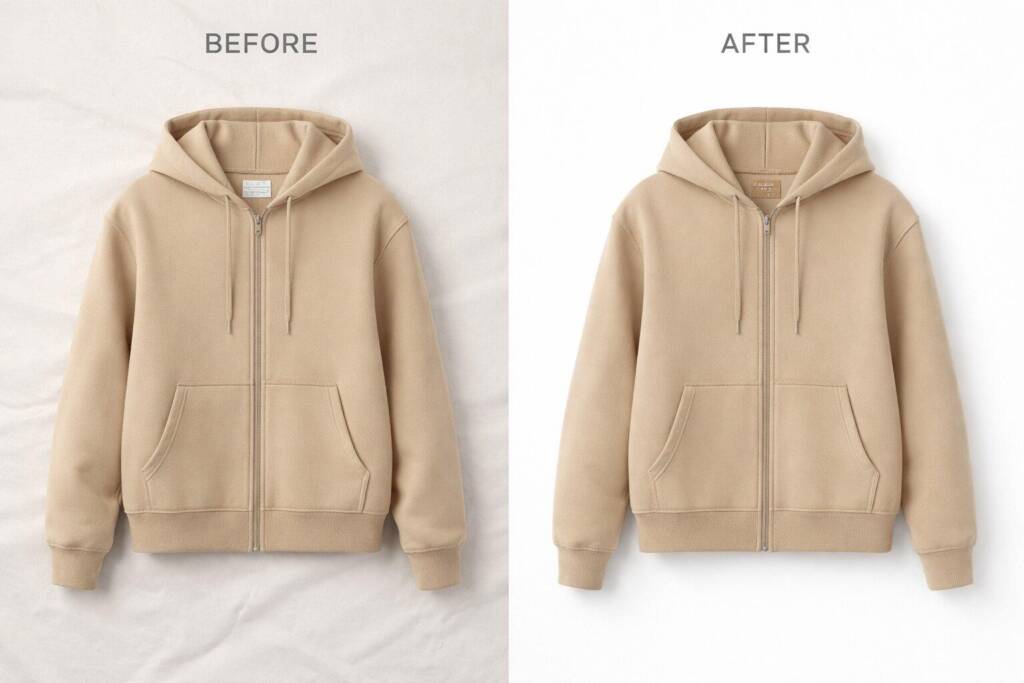
The Biggest Advantage of Seasonal Retouching: Scalability
Imagine a brand has:
500 products × 5 seasonal campaigns
That’s potentially thousands of visual assets.
Creating completely new photography for every campaign can require significant:
- Production time
- Photography resources
- Location planning
- Model bookings
- Styling
- Logistics
- Post-production
Retouching can provide another option.
Instead of starting from zero, brands can adapt suitable existing imagery into new campaign assets.
The important point is that retouching should not distort the product simply to create a seasonal effect.
The product still needs to look like the product customers will receive.
But Retouching Can’t Fix Everything
This is where brands sometimes make a mistake.
Retouching is powerful, but it isn’t a replacement for good creative direction.
If the original photograph has:
- Poor composition
- Incorrect lighting
- Missing product details
- Bad styling
- Weak posing
- Product damage
- Insufficient angles
post-production may not be able to completely solve the problem.
That’s why the best workflows start with strong photography and clear creative direction.
Good production gives retouching something strong to work with.
AI-assisted image editing workflows
The Product Still Comes First
Seasonal creativity should never overpower product accuracy.
For fashion brands, customers need to see:
- True colors
- Fabric texture
- Patterns
- Fit
- Shape
- Construction
- Product details
This becomes particularly important with complicated garments.
A seasonal background might make an image more attractive, but if the pattern changes or the fabric texture becomes unrealistic, the image can create the opposite effect.
Instead of building confidence, it creates doubt.
Seasonal Campaigns Need Consistency
Another important factor is visual consistency.
Imagine visiting a fashion website during the holiday season.
The homepage uses warm editorial imagery.
The product pages use plain white backgrounds.
Instagram uses heavily edited lifestyle images.
Email campaigns use completely different colors and lighting.
The individual images may look good, but the overall experience feels disconnected.
Consistent retouching helps bring different seasonal assets together.
That means maintaining standards for:
- Color
- Lighting
- Shadows
- Skin tones
- Background treatment
- Cropping
- Product presentation
A Better Approach: Styling + Retouching
Instead of asking:
“Should we use seasonal styling or seasonal retouching?”
A better question is:
“Where can styling create the strongest impact, and where can retouching help us scale?”
For example:
Hero Campaign Images
→ Invest in strong seasonal styling and photography.
Product Catalog
→ Use consistent professional retouching.
Website Banners
→ Adapt existing imagery where appropriate.
Social Media
→ Create seasonal variations.
Marketplace Images
→ Maintain product accuracy and platform requirements.
This approach allows brands to use creative production where it matters most while using post-production strategically across larger volumes.
How Mubytech Approaches Seasonal Product Imagery
At Mubytech, we believe seasonal imagery should do more than add a festive background.
It should maintain the integrity of the product while fitting the campaign.
Our post-production workflows can support brands with:
- Seasonal background changes
- Product retouching
- Color correction
- Fabric and texture refinement
- Clipping paths
- Ghost mannequin editing
- Lifestyle image editing
- Campaign image variations
- Catalog image consistency
The objective isn’t simply to make an image look seasonal.
It’s to make the product look right in a seasonal context.
A Simple Seasonal Image Strategy
Before your next seasonal campaign, ask these five questions:
1. Do we need new photography?
If the existing imagery cannot support the campaign, a new shoot may be necessary.
2. Which images can be reused?
Identify strong existing assets that can be adapted.
3. Where will styling create the biggest impact?
Reserve your production budget for hero and campaign imagery where creative direction matters most.
4. Where can retouching help us scale?
Use post-production for catalog images, campaign variations, and high-volume assets where appropriate.
5. Are we maintaining product accuracy?
No seasonal treatment should compromise what the customer actually receives.
Conclusion
Seasonal styling and seasonal retouching aren’t competitors.
They solve different problems.
Styling creates the story.
Retouching perfects the presentation.
Consistency connects everything together.
For brands managing hundreds or thousands of products, the strongest approach may not be choosing one over the other.
It’s knowing where to invest in creative production and where professional post-production can extend the value of existing assets.
Because a successful seasonal campaign isn’t simply about making products look festive.
It’s about making them relevant, desirable, accurate, and ready to sell.
FAQs
Not necessarily. Styling creates the campaign’s creative direction, while retouching improves and adapts the final imagery. The best choice depends on the campaign and available assets.
Yes. Suitable existing images can often be adapted through professional retouching, background changes, and creative compositing.
Sometimes, but not always. If the campaign requires completely new poses, products, environments, or creative concepts, a new photoshoot may still be necessary.